Sep 17, 2026
Yworq Atlas Now Creates Presentations: The AI Slide Generator That Asks Before It Builds
Yworq Atlas researches your topic across hundreds of sources, then builds a fully editable presentation you can present as it is — with citations, tone control, and export to PPTX or PDF.
Yworq Team
Building AI agents for work
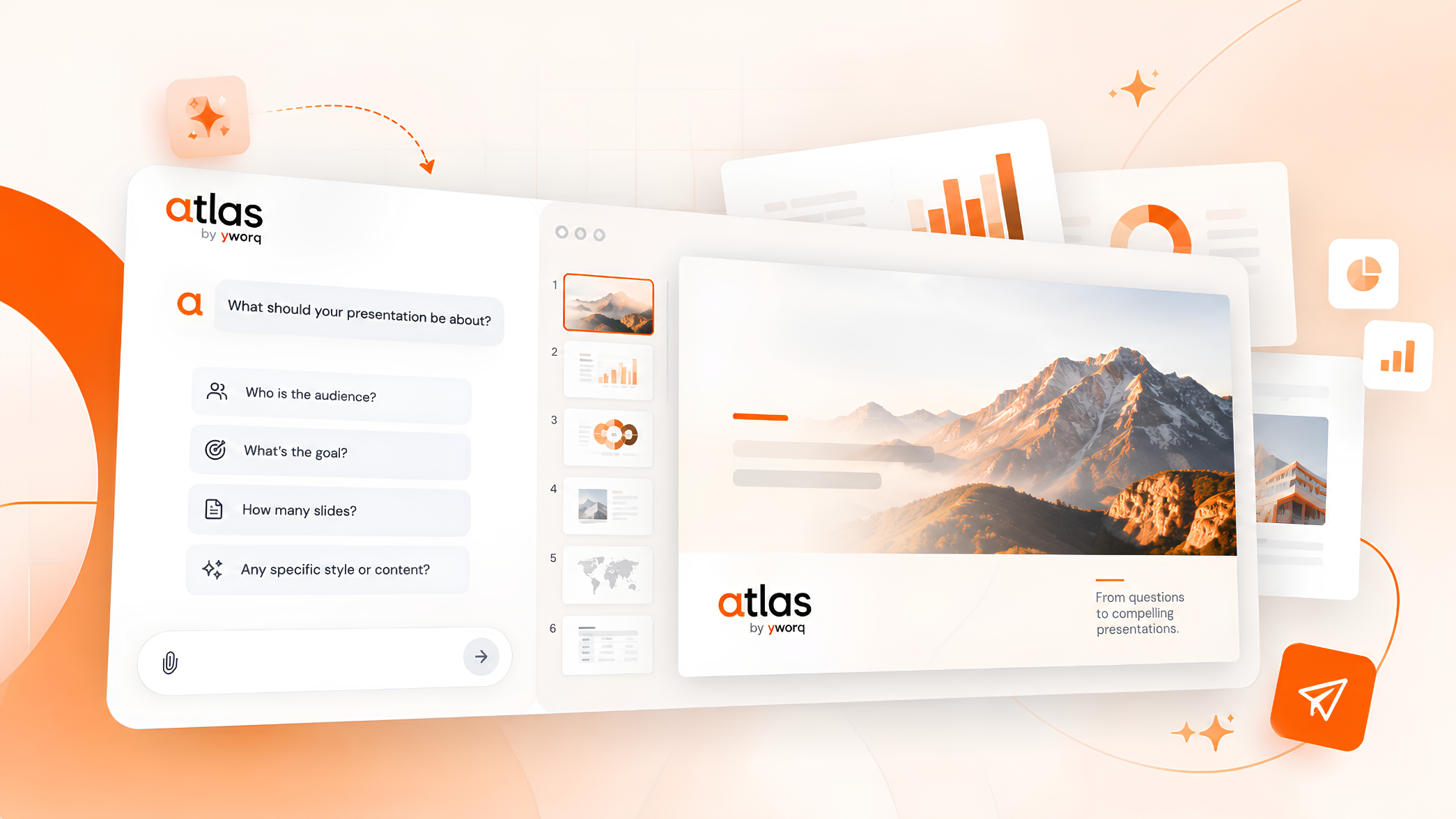
September 17, 2026 - Today we're introducing presentation creation in Yworq Atlas. It researches your topic across hundreds of sources, writes slides grounded in what it finds, and hands you a deck you can present as it is.
The hard part of building a presentation was never the design. It's the content: knowing what to say, getting the numbers right, and being able to defend a claim when someone in the room asks where it came from. Most AI PPT generators skip that part entirely. They pattern-match a topic into ten slides of confident-sounding filler, and you spend the next two hours replacing it with something true.
Atlas works the other way around. It researches first and designs last.
Why we built it
We didn't set out to build another slide tool. We kept watching the same thing happen inside Atlas.
People would run deep research on a topic, get a genuinely good body of work back, and then hit a wall. The output had to become a presentation, so it went into a slide tool that knew nothing about the research. What came back was structurally fine and factually thin, and the work of putting the real content back in landed on the person. The AI had saved them the design and handed them the harder half of the job.
That gap pointed to the actual problem. Presentation tools optimize for the part that was never the bottleneck. Making slides look good is solved. Knowing what belongs to them, in this order, for this audience, backed by something you can defend, is not. A deck with beautiful typography and invented statistics is worse than no deck, because you find out in the meeting.
We also had an unfair advantage sitting right there. Atlas already reads across hundreds of live sources for Deep Research, reranks them, and writes long-form work from what it finds. Pointing that engine at slides was the obvious move, and it changed what a generated deck could be: not a template with your topic dropped in, but content researched for your specific prompt and shaped for your specific room.
The last piece was you. Research handles what's public. It cannot know your ARR, your roadmap, or the angle you want on a topic you already understand better than any source. So Atlas asks, briefly, instead of guessing. That's the model we want across every agent in Yworq: you brief, review and decide, while the agents do the legwork.
Research first, slides second
When you ask Atlas for a deck, it doesn't start writing. It starts reading.
Atlas searches the live web across hundreds of sources on your topic, then reranks what it finds by relevance to your specific prompt, keeping only the sources that actually inform your deck. A pitch about the European EV charging market pulls different sources than a lecture on the same industry, because the angle, the depth, and the audience are different. Only after that research is done does Atlas write your slides.
That changes what lands on the slide. Instead of a bullet that says "the market is growing rapidly," you get the figure, the period it covers, and where it came from. Turn on citations and every claim carries a reference your audience can verify, which matters when the deck is going in front of investors, a client, a professor, or an engineering review.
This is the same research engine behind Atlas Deep Research, applied to slides.
Ready to use, not ready to fix
The goal is a deck you can present without rewriting it.
That means content that stands on its own: specific numbers instead of vague claims, structure that follows how the argument should actually be made, and language pitched at the people in the room. You pick a tone, from investor to technical to marketing, sales, internal or general, and Atlas writes to it. Set a brand theme and it designs to that instead of a generic template.
You will still want to adjust things, because it's your presentation and you know the room. But you're editing a finished deck, not rebuilding one.
It asks the right questions first
Research covers your topic. It can't cover you.
If your deck is about your own organization, Atlas doesn't have your numbers, your positioning, or your roadmap, and it won't invent them. So before it builds, it asks. You confirm the essentials, then answer a short set of curated questions generated for your specific prompt: org-specific ones when the deck is about your company, topic-specific ones that sharpen the angle and takeaways when it isn't.
It takes a minute. It's the difference between a deck about your industry and a deck about your company.
How it works
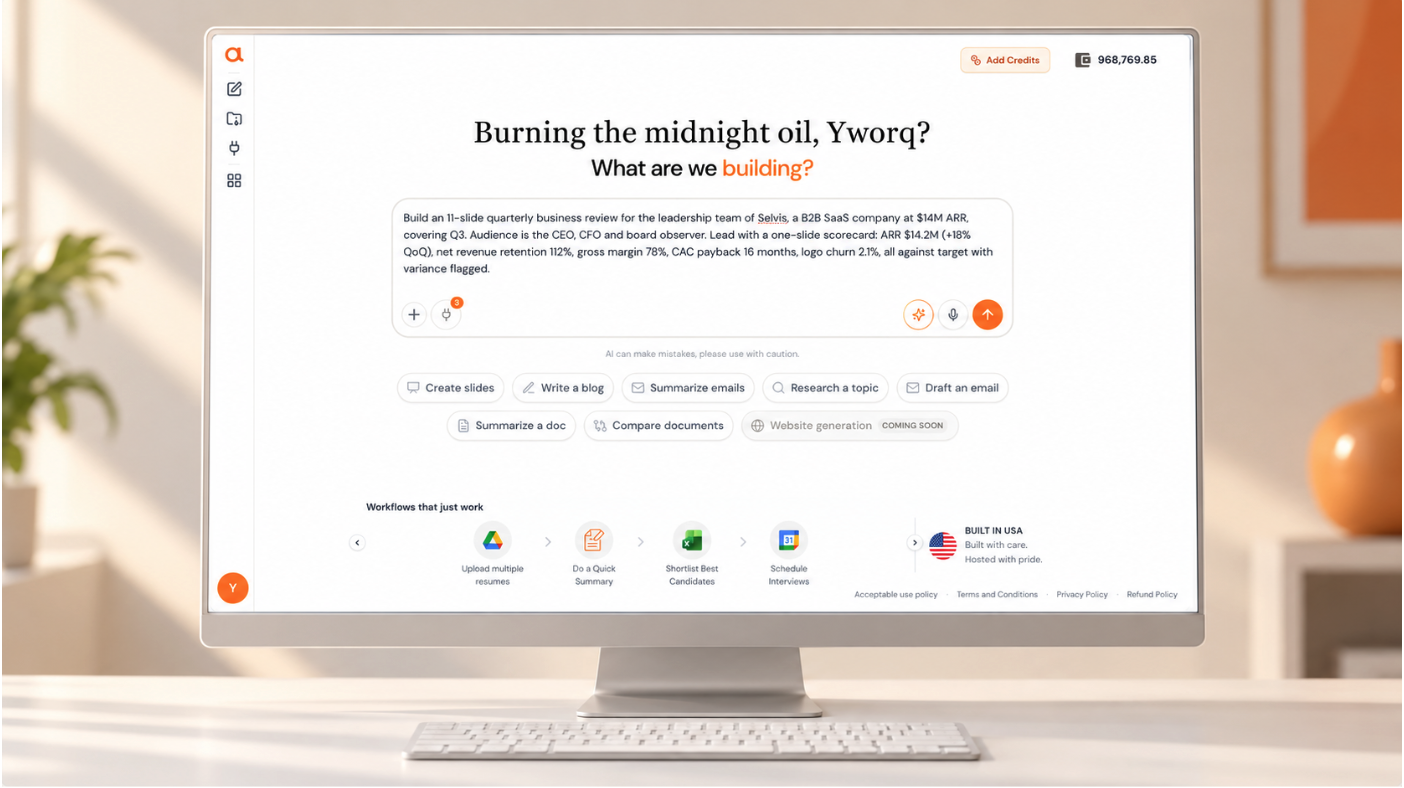
Step 1: Start with a prompt
Open Atlas and describe the presentation you want. A single line works ("a 10-slide investor pitch for a B2B logistics startup"), and so does a detailed brief with goals, key points, and constraints.
Step 2: Set the essentials
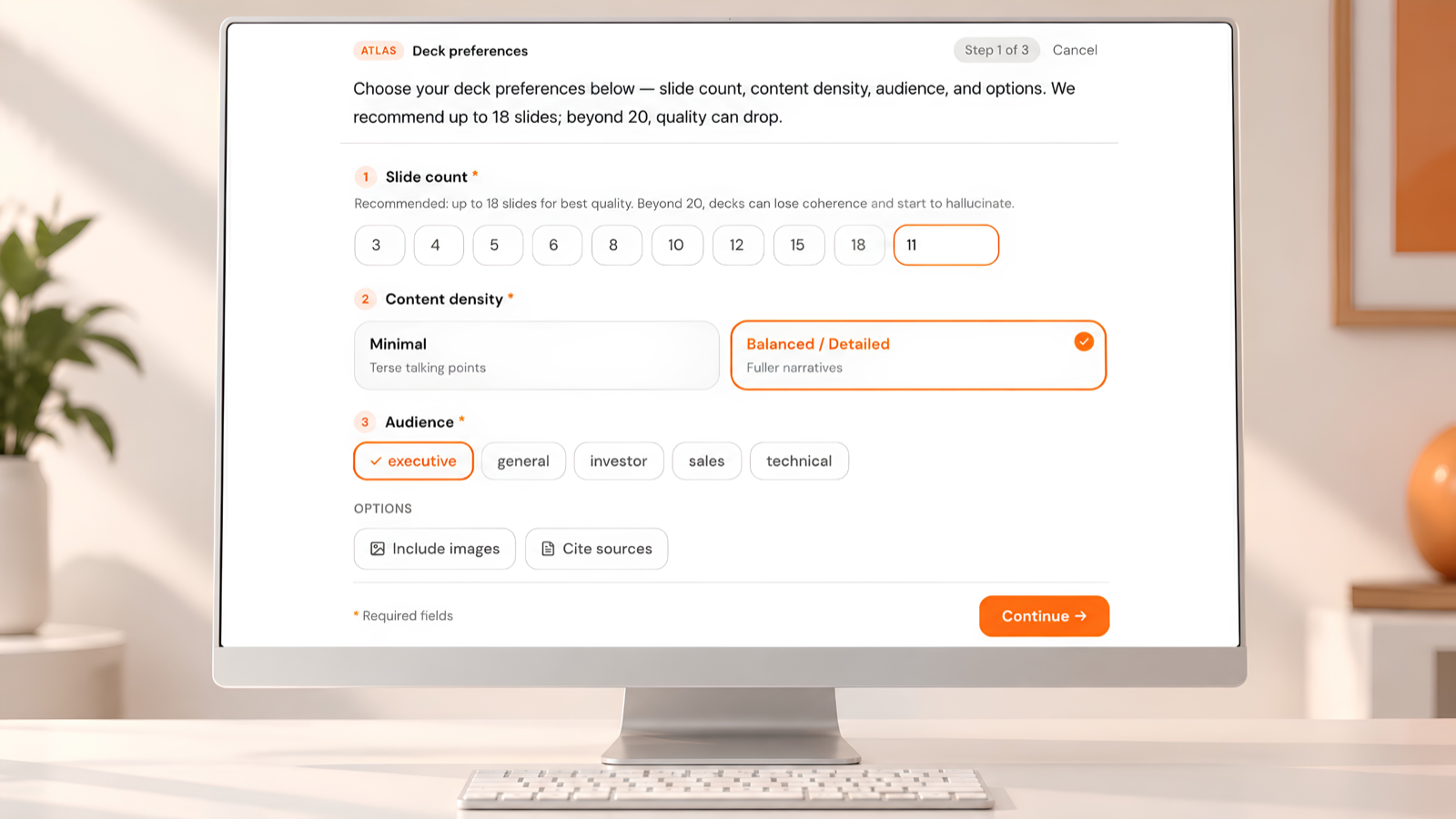
Atlas confirms the basics that shape every deck:
- Number of slides - short and punchy or long and detailed, with no hard cap on deck length
- Images - whether to include visuals in your slides
- Cited sources - whether to carry references for the research behind your claims
- Tone - investor, technical, marketing, sales, internal, general
- Audience - who the deck is for, so the depth and language fit the room
Step 3: Answer a few curated questions
Atlas follows up with questions generated for your prompt, covering the specifics no amount of web research can supply: your product, your numbers, your differentiators, or the exact angle you want on a general topic.
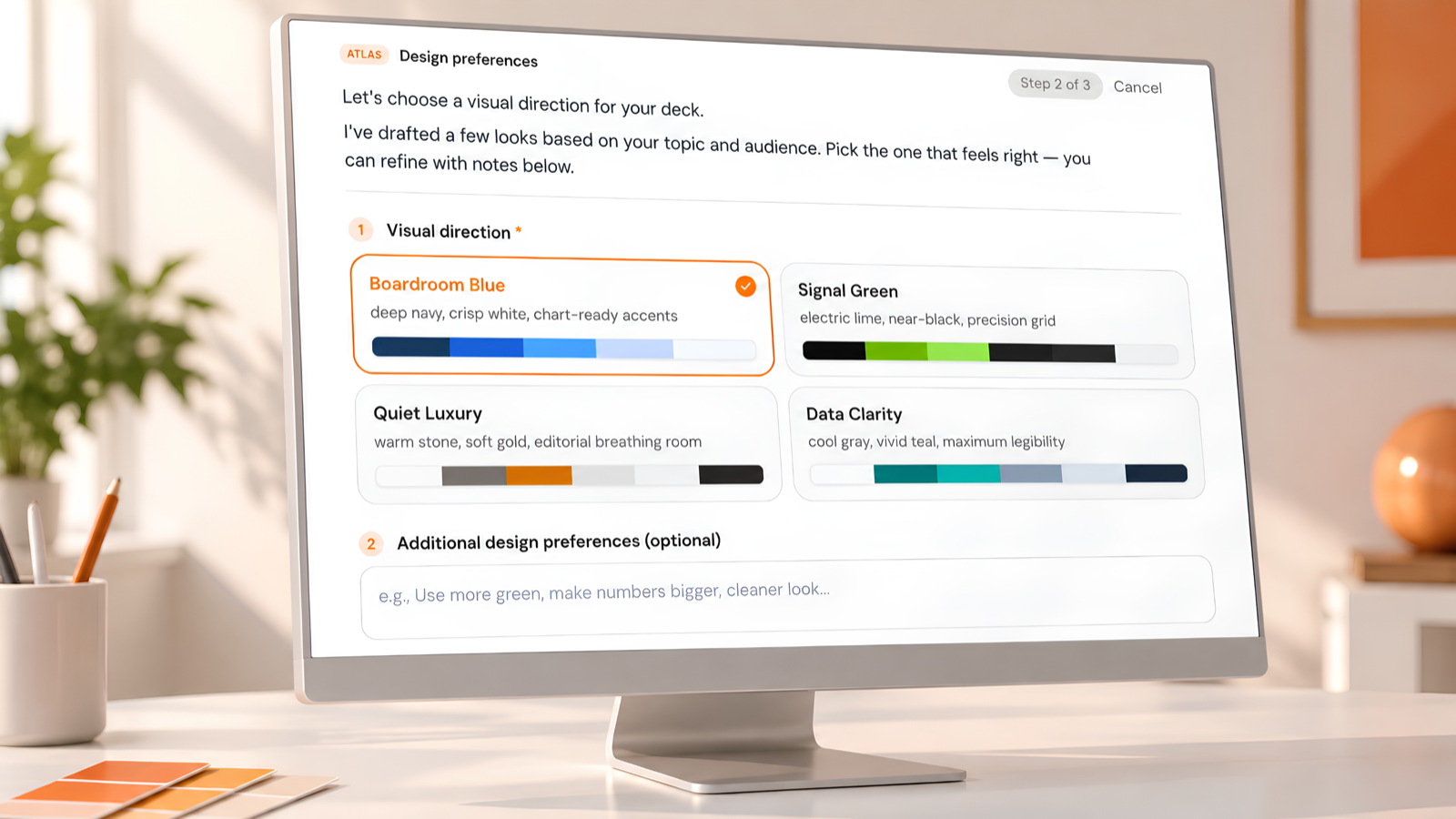
Step 4: Review the researched outline
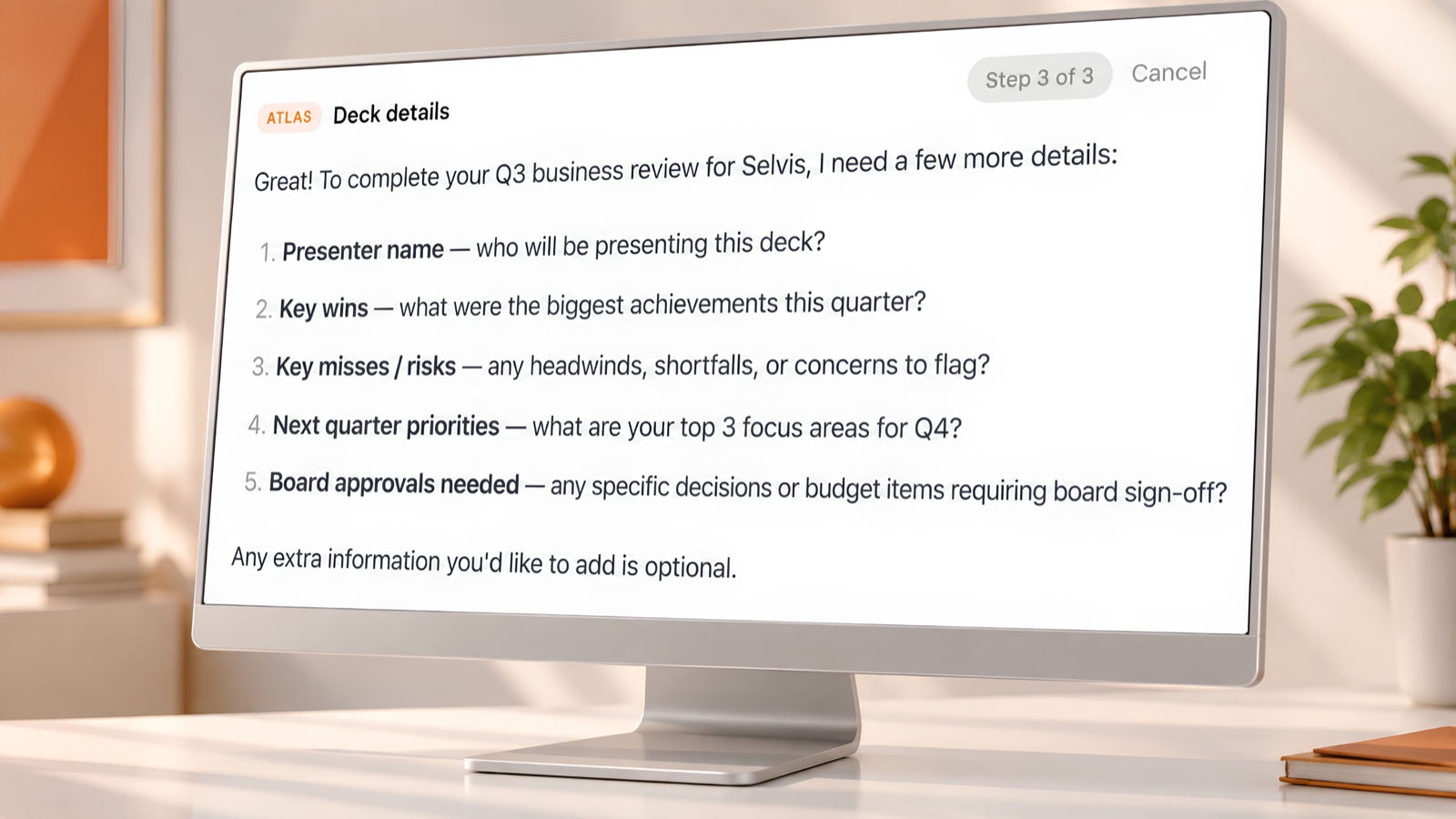
Atlas researches your topic and returns a slide-by-slide outline built from what it found. Nothing is designed yet, so this is the fastest point to correct the story. Approve it, edit it directly, or ask Atlas to change it in plain language, such as "move pricing before the roadmap" or "add a slide on competitive landscape."
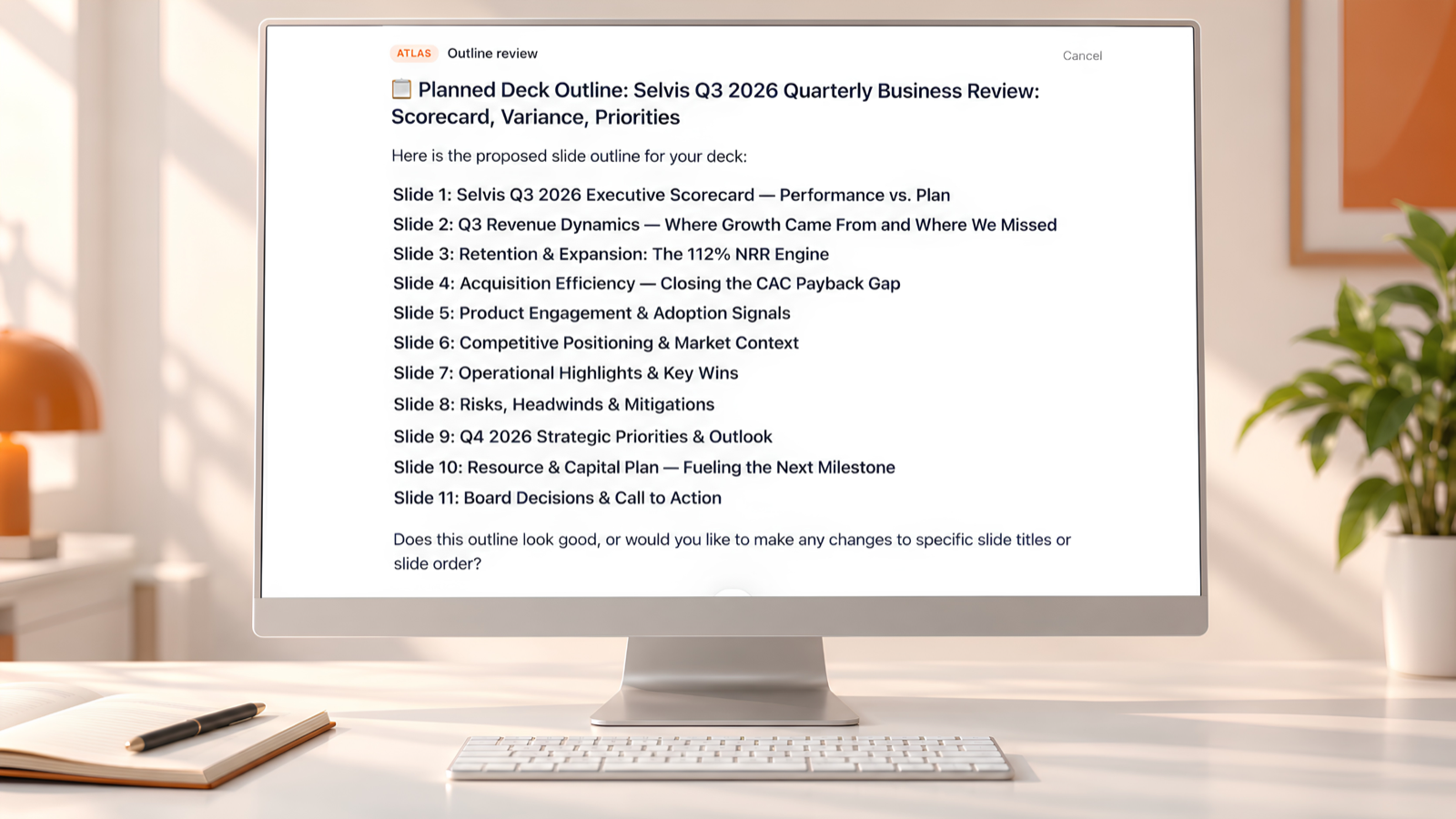
Step 5: Choose your color palette
Pick a look. Atlas generates four color palettes tailored to your prompt, so a healthcare deck, a gaming pitch, and a finance report each get options that suit the subject. Prefer something specific? Give custom instructions, such as your brand colors or a mood, and Atlas designs around them.
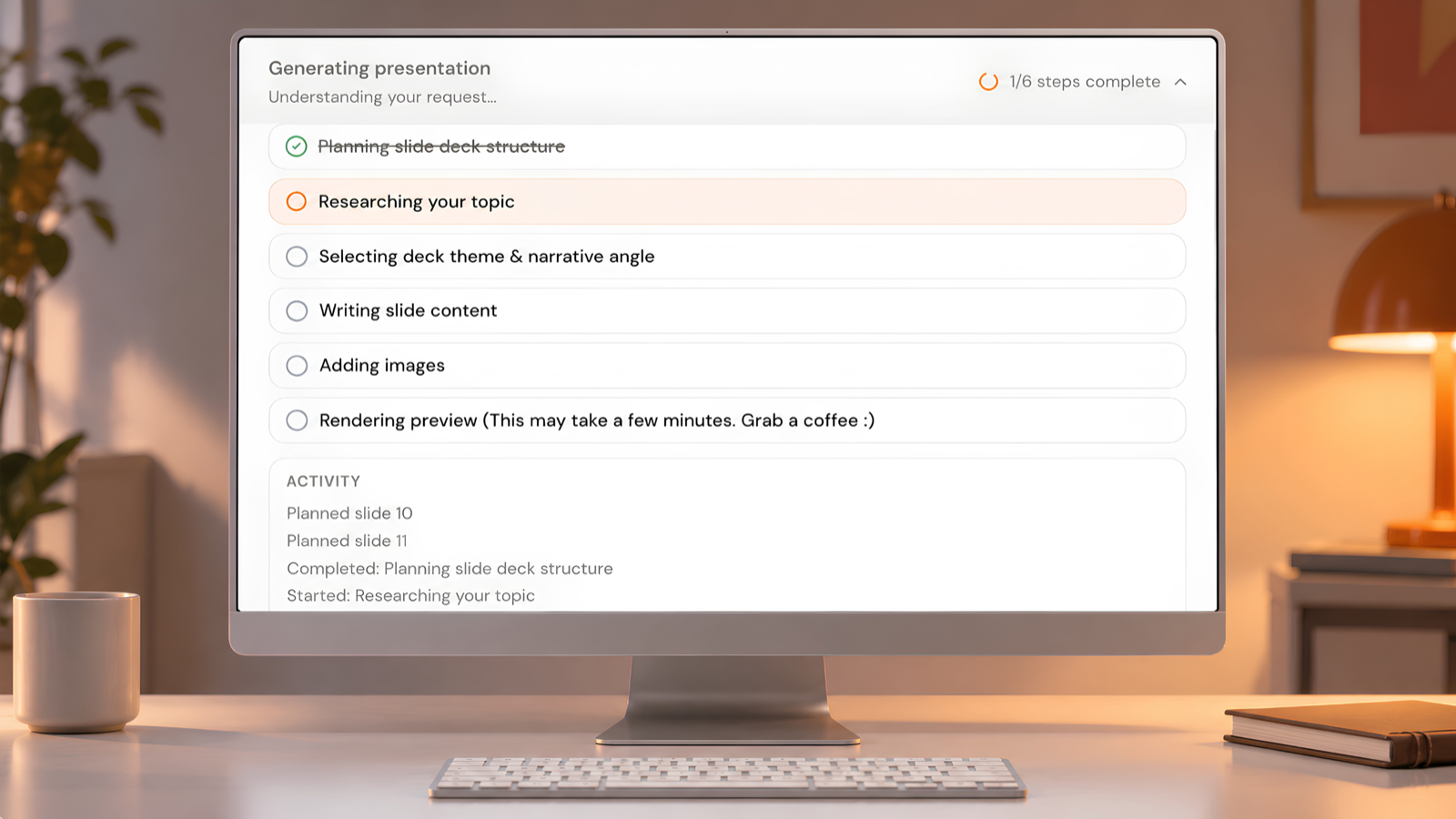
Step 6: Atlas builds your deck
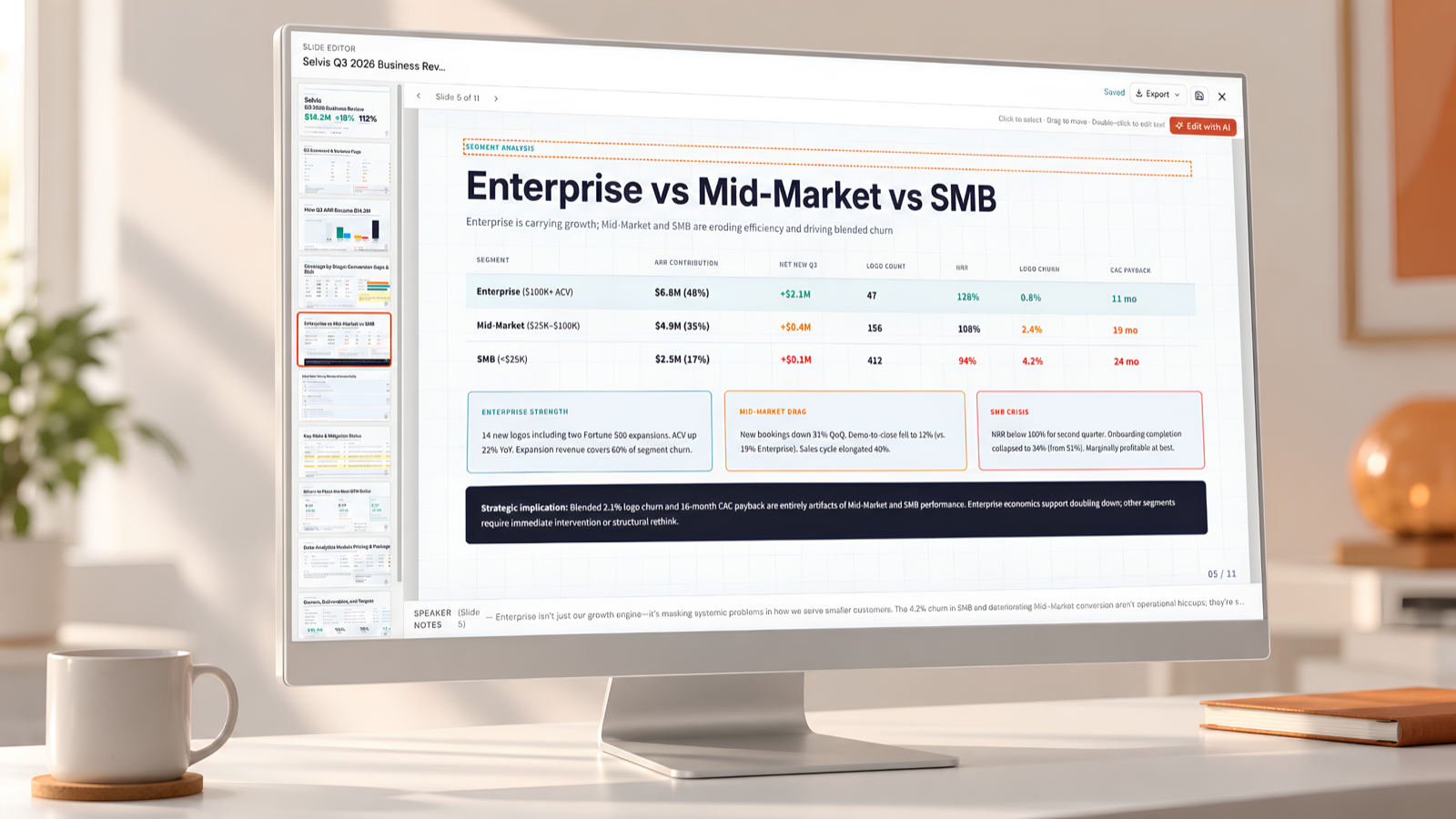
Atlas turns the approved outline and your chosen palette into a complete, designed presentation you can view, present, edit, and export without leaving the workspace.
Fully editable, down to every element
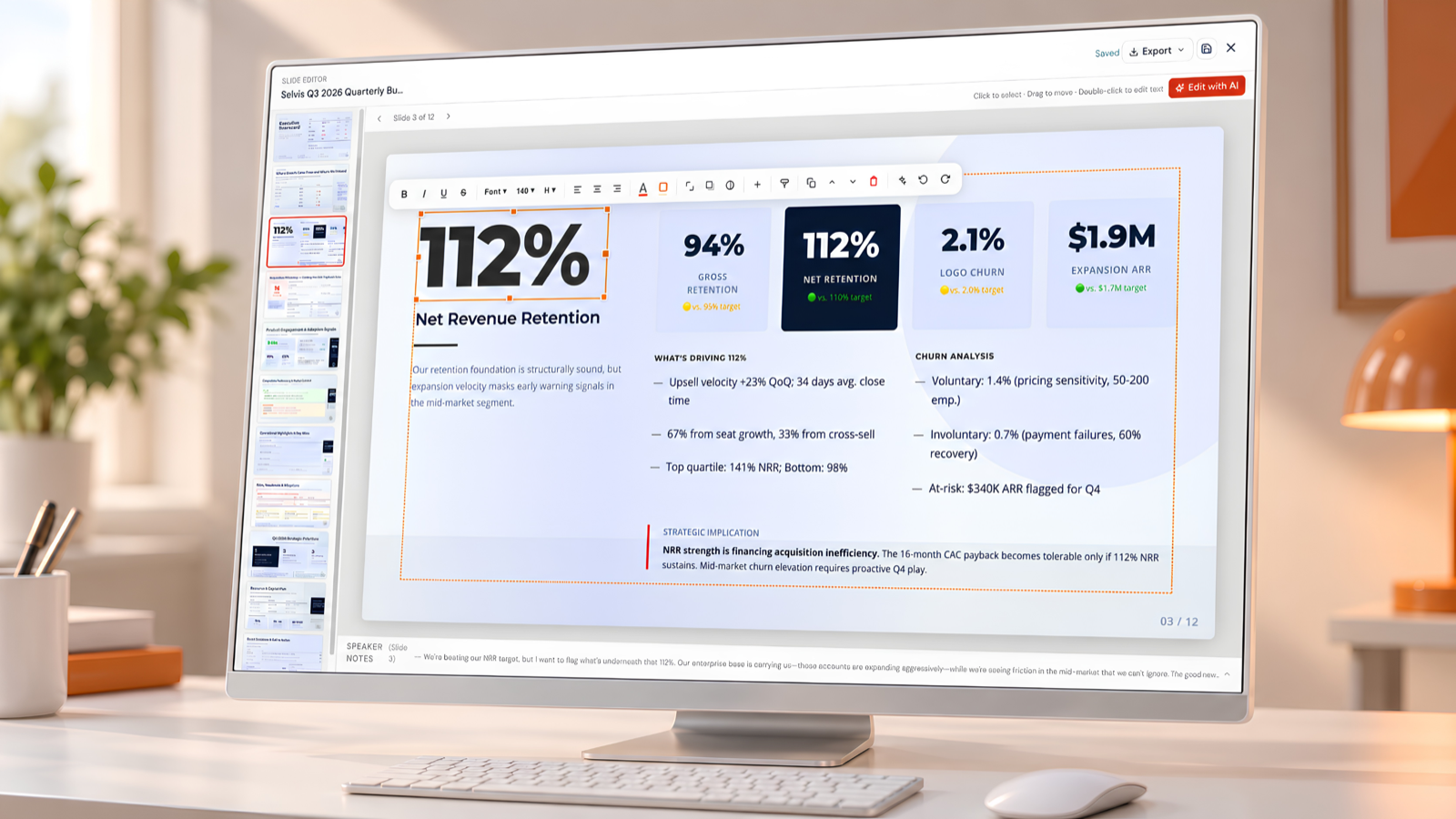
A generated deck is a working document, not a locked image. Atlas includes a full built-in slide editor:
- Drag-and-drop components to rearrange any slide layout
- AI edit per slide to rewrite, expand, or tighten content with a single instruction
- Text formatting with control over text and background colors
- Element resizing for text boxes, images, and shapes
- Add your own pictures directly to any slide
When a slide isn't right, smart AI slide regeneration rebuilds it from one prompt, keeping the information accurate while offering alternate themes and looks. You fix one slide, not the whole deck.
Export anywhere
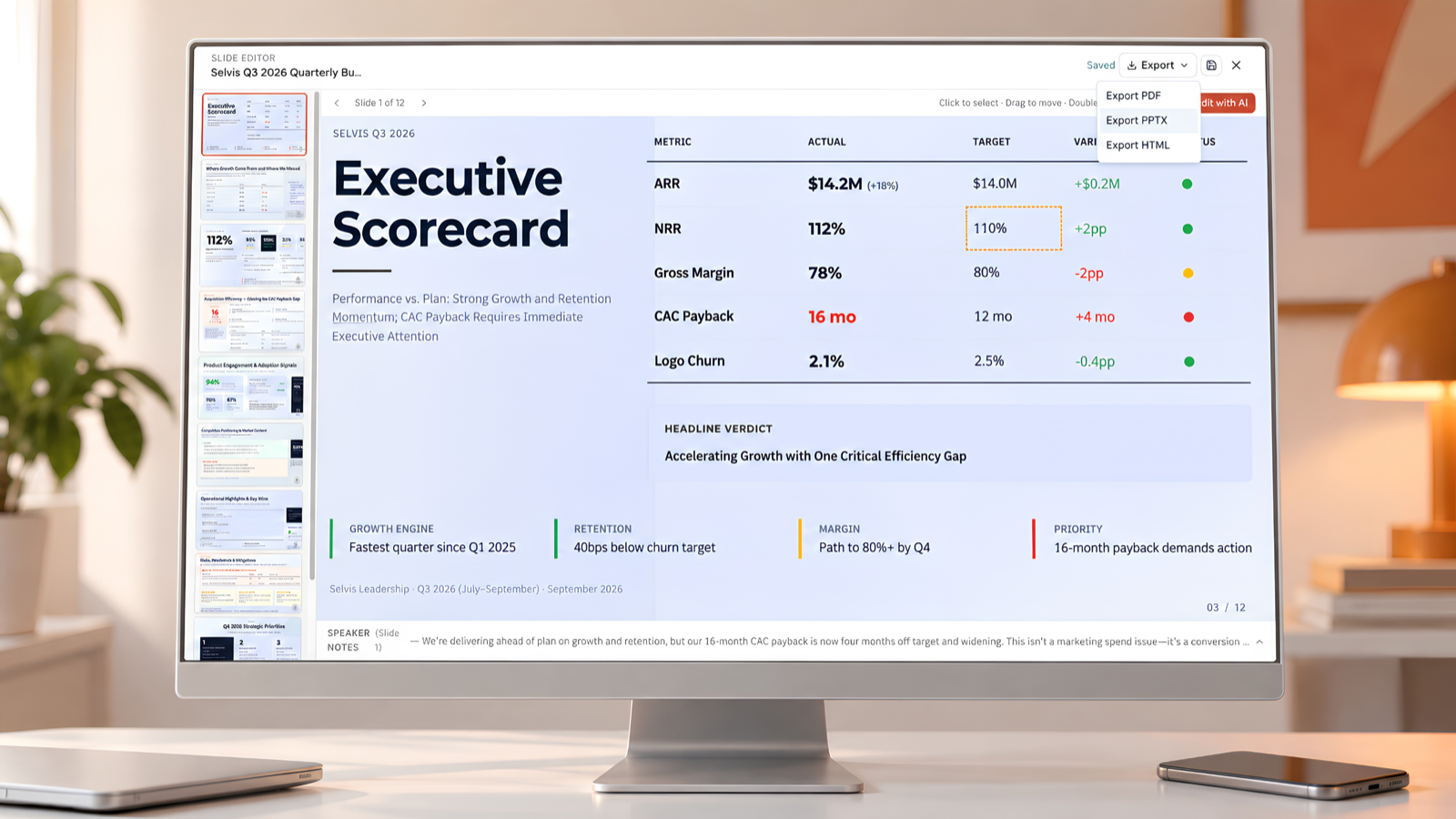
Your deck goes where your work goes. Export to PDF for sharing, PPTX for PowerPoint, and more. With the Google Slides connector, send your deck straight to Google Slides with its design intact, ready for your team to collaborate on.
See it in action: 5 decks built with Atlas
Every deck below started as a single prompt in Atlas.
Demo 1 - Investor pitch
Numeq: Automating Regulatory Submissions - seed investor deck covering market opportunity, product, traction, and the ask.
Demo 2 - Executive business review
Selvis Q3 2026 Business Review - scorecard and variance deck covering ARR growth, retention, and the efficiency gaps that matter next quarter.
Demo 3 - Logistics / AI seed
Parcelyn: AI Route Optimization - $3M seed deck on cutting last-mile costs with real-time routing for regional couriers.
Demo 4 - Enterprise proposal
From Fragmentation to Accountability - performance-based 3PL partnership proposal for Brayce Retail Group.
Demo 5 - Education lecture
Storing the Transition - Halvern Institute lecture on grid-scale energy storage for renewable energy systems.
Part of a connected workspace
Presentations aren't a standalone tool bolted on. They live inside Atlas, where context stays connected across your projects, chats, and media, so a deck can be the last step of a longer piece of work rather than a fresh start.
Run Deep Research on a market, condense the findings with the Summarizer, then have Atlas turn that into a presentation grounded in everything it reviewed. Upload a report and take the same path. Your research, your writing, and your deck stay in one place, and the agents doing the legwork hand off to each other while you brief, review, and decide.
Who it's for
- Founders and operators building investor, board, and strategy decks that get questioned line by line
- Marketers and creators producing launch, campaign, and content presentations on short notice
- Teams shipping client work who need proposals and reviews that hold up in the room
- Students and educators creating project and lecture decks with sources they can cite
- Anyone new to AI at work who wants a guided process instead of a blank prompt box
From keynotes and school projects to technical and investor decks, Atlas adapts to the job.
Private by design
Yworq is a US-based company. Atlas runs on US-hosted models with zero data retention, so your prompts, your company details, and your decks stay yours.
Pricing and availability
Presentation creation is available today in Yworq Atlas for every user. Yworq runs on pay-as-you-go credits with no subscription, so you only pay for what you create, and top-ups start at $5. New accounts begin with free credits, so you can build a deck right away.
Frequently asked questions
Can Yworq Atlas create presentations?
Yes. Atlas is an AI slide maker. It researches your topic across hundreds of live web sources, asks a short set of questions about your specifics, generates an outline for your approval, and designs a complete deck in a color palette you choose.
How is Atlas different from other AI slide makers?
Most AI PPT generators write from the model's own memory of a topic, which produces generic slides and claims you can't verify. Atlas researches first, reranks sources by relevance to your prompt, and writes slides from that material, with optional citations on every claim.
Are the sources cited?
If you turn citations on, yes. Your deck carries references your audience can check, which matters for investor, client, and academic presentations.
Can I edit the slides after they're generated?
Yes. Every deck is fully editable with drag-and-drop components, per-slide AI editing, text and color formatting, element resizing, and image uploads. You can also regenerate individual slides with a single prompt.
Can I export my deck to PowerPoint?
Yes. Export to PPTX for PowerPoint, to PDF, and more. You can also send your deck to Google Slides through the Google Slides connector with the design preserved.
Can Atlas use my brand colors?
Yes. Pick from four AI-generated palettes tailored to your prompt, or give custom instructions with your brand colors or a specific look, and Atlas designs to them.
How many slides can I create?
There is no hard cap on slide count. You choose the length that fits your presentation.
How much does it cost?
Yworq uses pay-as-you-go credits with no subscription, and top-ups start at $5. New users receive free credits to get started.
Is my data used to train AI models?
Atlas runs on US-hosted models with zero data retention.
Build your first deck in Atlas
Your next presentation shouldn't start with fact-checking a machine's guesses. Open Atlas, describe your deck, answer a few questions, and get a presentation that's researched, specific, and ready to present.
Create your first deck